Context Leader (HIC): what it is, the six steps of the track and how to develop one
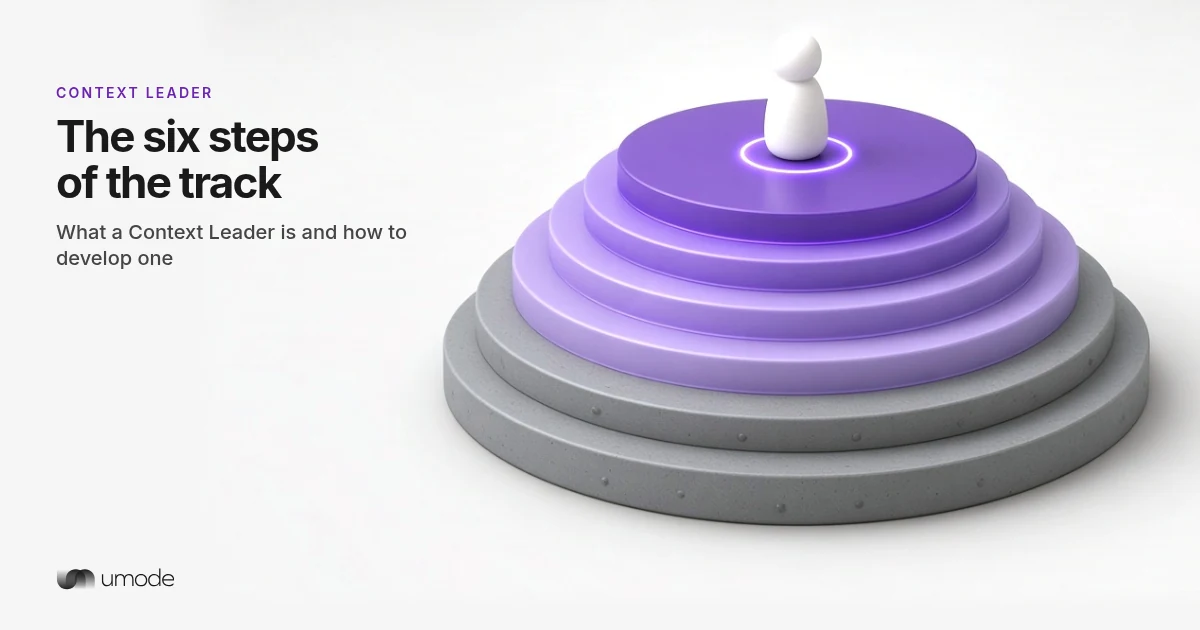
A Context Leader is the person who governs what AI knows about an area: what goes into the brain, who reads it, who edits it and where each agent stops. It is the method uMode created to develop what the world calls an HIC (high individual contributor), the individual professional with outsized impact who multiplies their own work with AI, adapted to develop superhuman professionals.
In short:
- What it is: uMode's method to develop what the world calls an HIC (high individual contributor), adapted to develop superhuman professionals.
- What it does: writes the rule that says what the machine decides on its own, what it only suggests and where it stops and waits for a person.
- Where it works: as a rule, in the people layer and the brains and agents layer. From there on, the work lines up with the technology team.
- How you become one: through the Context Leader Track, in six steps, from Executor to Context Leader, with a second axis that measures context, from C0 to C3.
- How it is measured: the track shows which step each person is on and what they need to prove to move up. Nobody moves up for time served.
- What it does not promise: results without work. The person decides the outcome; the machine executes within the rule.
I write this guide because I see fashion companies buy AI licenses for everyone and, months later, find the same work as before, done a little faster and checked a little less. In my reading, the problem is almost never the tool. It is the context nobody organized and the lack of someone accountable for it. The Context Leader Track was born inside uMode, first for our own team, with governance and without exposing sensitive data. This guide tells what it teaches, step by step, with the vocabulary the track uses. Where software comes in, it appears in short boxes, as the "how" of each idea.
I see the same thing in João Risoléo's Mentoring Session with business owners who came to AI after an entire career. What changes the curve is the mindset: to stop asking for explanations and start asking for deliverables, and to understand that accumulated experience is worth more once it gains a method. Vera and Roberto are fictional characters, created to portray real mentees of João Risoléo's Mentoring Session. The mentees' identities do not appear, to protect them.
What problem does a Context Leader solve?
A Context Leader solves the problem of AI working without knowing anything about the company. The track starts from a simple premise: AI is the same for everyone, and what sets one company apart from another is the context it gives the machine.
Without context, every conversation is with a stranger. You explain who you are, what the area does, what the pricing policy is, what was decided last week. The answer comes out generic, you correct it, and in the next conversation it all starts over. Whatever worked disappears when the window closes.
Think of the tech pack. It exists so that the pattern maker, the supplier and production planning make the same garment without having to ask the designer. Anyone who has received a sketch with a sticky note instead of a tech pack knows what happens: the factory guesses. Context does for AI what the tech pack does for production. Without it, the machine guesses, in well-written prose.
The tools already offer shortcuts: custom instructions, app memory, projects, the habit of pasting the same text at the start of every conversation. The track calls this set a near-brain and points to five limits:
- It forgets. App memory keeps what it chooses, not what the area decided.
- It becomes a silo. Context is stuck in one person's account and does not help the colleague next to them.
- The desk fills up. The more text you paste, the more the core gets lost.
- It does not write back. The conversation ends and nothing learned goes back to a place where others can read it.
- It is not yours. The context lives inside the tool, not in a place the company controls.
The risk of depending on key people stays the same size when everyone improvises their own near-brain. The know-how stays in the heads of those who do the work, now with an extra layer of improvisation. A Context Leader exists to take that know-how out of people's heads and personal accounts and put it in one place, with an owner and rules.
What does a Context Leader do day to day?
A Context Leader writes and maintains the rules that let the machine work without someone watching every step. On the track's last step, the person answers for three things: a queue of agents with written rules, an area that inherits what they know and one person they have trained. The document that proves the step fits on one page.
In practice, the work splits into five fronts, which are the sixth step's techniques:
- Decision architecture. A three-column list: what the machine decides on its own, what it suggests for someone to approve and where it stops and waits. Anything not on the list stops.
- Definition of good. What counts as a right answer, written beforehand, and a set of ten cases to test any change.
- Who reads, who edits, who executes. The track's rule is broad reading, narrow editing and minimal, named execution. Content that comes from outside (an email, a PDF, a web page) comes in as information, never as an order.
- What not to automate. Choosing what stays with people, on purpose, is part of the job.
- Talking to leadership. The conversation with whoever controls the budget uses three measures: work given back to people, errors avoided and new capacity.
The track also defines the role in the company. It measures each employee's maturity level and what each one needs to move forward. Most of the team needs to work well inside the structure, with organized context and reliable agents. The Context Leader looks after the structure of an area and develops whoever comes next.
How this shows up on the track: the sixth step closes with a governed queue of agents, the area's decision architecture written down and in use, and one person trained up to step 3. The most common mistake at this step has a name: a layer with no owner.
What are the premises of the Context Leader Track?
There are four, and everything else in the track follows from them:
- AI is the same for everyone; context is what makes the difference. Two companies with the same license get different results because they give the machine different things.
- Context lives in one place, the brain, organized and with access control. Scattered across conversations and personal accounts, it does not serve the company.
- Usage and context move up together. Nobody is recognized above step 3 with context below C2.
- AI Second, People First. The person decides the outcome; the machine executes within the rule.
The track's material presents itself as the whole map, with the central technique of each step and the test to find out where you are. And it warns from the start that it is not a tool manual. Buttons move every month; technique lasts.
How do the two axes, usage and context, work?
The track measures two things at once. The usage axis says what the person does with the tool. The context axis says how much the tool already knows about their work. Moving up on only one does not count.
The usage axis has six steps:
- Executor: asks, copies, pastes and trusts the tone.
- Assisted Operator: does the work with it and catches the error first.
- Redesigner: the deliverable comes out without depending on you.
- Amplified Operator: the machine gets hands, you get brakes.
- Outcome Architect: builds something another area uses.
- Context Leader: decides, suggests or stops, with a queue of agents under written rules.
The context axis has four levels:
- C0, None: every conversation starts from scratch.
- C1, Seeded: profile, tone of voice and the area's base documents.
- C2, Fed by ritual: meetings, decisions and corrections go in every week.
- C3, Alive: you ask in one line and it comes out right.
The rule that ties the two together is the third premise. From the fourth step on, the machine acts with more autonomy. Without a brain fed by ritual, that autonomy works on stale notes, and the track has a line for this: a stale note does not stay quiet, it lies.

Want to practice now? The Context Leader Track lessons are free, and a free account saves your progress. The course is in Portuguese. Create your free account.
What are the six steps, and what does each one require?
Each step has a central technique, a proof that opens the next one and a most common mistake. The proof always comes from the person's real work. Below are the six, with the track's vocabulary.
Step 1: Executor, where everyone starts
The Executor uses AI as a search engine that writes well. They ask, copy the answer, paste it into the document and trust the tone. The answer sounds confident, so it seems right.
The track points to three signs that someone is on this step:
- they ask the machine for the number instead of giving it the data and asking for the calculation;
- they cannot say why the answer came out that way;
- they use a personal account with company files.
The third sign is the most expensive. A company file in a personal account leaves the company's control the moment it is sent.
Proof to move up: start with the track's free lessons, in order, without skipping any.
Most common mistake: staying. An Executor who gets used to the machine's confident tone tends to stop there, because the work seems to be moving.
In João Risoléo's Mentoring Session, Roberto shows a second way to stay on step 1: leaving. Whoever asks the machine to explain their own trade gets a generic text, confirms the fear they already had and closes the window. What worked was changing the verb. Instead of "explain how to read this report", the request became "check this report and tell me what does not add up".
Step 2: Assisted Operator, does the work with it and catches the error first
The Assisted Operator understands that the machine does not consult a database of truths; it predicts the most likely next word. That is why an answer can be well written and wrong at the same time.
The step's techniques:
- The prompt has five parts: role, goal, context, format and criteria. Whoever writes all five gets less guessing.
- Two examples are worth more than two paragraphs. Showing what you want works better than describing it.
- Checking without checking everything. Asking the machine not to make things up and to say when it does not know, and checking first what is expensive if it is wrong.
- What never goes in. Knowing what cannot go into the tool: passwords, bank data, contracts, customer data.
Proof to move up: three real tasks done with the machine and actually used, plus one error it made that the person caught and explained.
Most common mistake: believing that a well-written answer is a right answer.
Roberto shows what this proof asks for. When reviewing a report with AI, the machine confirmed the errors he had seen and found others, but it compared periods of different lengths without saying so, and he was the one who noticed. In another task, he turned down the first version, polished and long, and asked again for a table with only what drives the decision. The eye of someone who knows the business is the brake; AI gives that eye more hands.
How the track trains this: the first exercise puts a bad prompt and a good prompt for the same task side by side. The second asks the machine to audit its own output. The third teaches you to give the data and ask for the calculation, instead of asking for the number.
Step 3: Redesigner, the deliverable comes out without depending on you
On the third step, the question changes. Instead of "how do I do this faster with AI", the person asks whether the step needs to exist.
The step's techniques:
- Context decides more than the prompt. An average prompt with good context does better than a perfect prompt without context.
- Writing for the machine to read. Documents with a date, an owner and no ambiguity. A stale note does not stay quiet, it lies.
- An honest process map. Drawing the process as it is, separating coordination (agreeing, chasing, passing on) from execution.
- Eliminating a step instead of speeding it up. The step that disappears needs no review.
- Thirty-second capture. Recording the decision the moment it happens. Thirty good notes are worth more than three hundred lukewarm ones.
Proof to move up: the before and after map, one step eliminated, two weeks running through the new process and the person's context at C2.
Most common mistake: speeding up the step instead of asking whether it needs to exist.
This is the step where most people get stuck. The track says so plainly: most people climb the first two steps on their own. From the third on, almost nobody moves up without someone who has already done it inside a fashion company.
Illustrative scene, not a real case: a product analyst spends part of the week copying data from the tech pack into the approval spreadsheet. On step 2, she asks AI to build the spreadsheet faster. On step 3, she maps the process, realizes the spreadsheet only exists because the approval meeting does not read the tech pack, and proposes approving directly in the tech pack. The step disappears.
Step 4: Amplified Operator, the machine gets hands, you get brakes
On the fourth step, the machine starts to act. The track separates three ways of working: chat answers, automation repeats and an agent chooses the path. Risk grows in that order.
The step's techniques:
- Connecting the sources. Giving the machine access to email, a folder or a system. Reading, writing and sending are different permissions, and each one is granted separately.
- The agent loop. Understanding the cycle in which the agent reads, decides, acts and checks, so you know where it can go wrong.
- Three brakes: a stop limit, a clear trigger and an approval stop. Without all three, the agent does not go live.
- Reading the trace. Every agent leaves a record of what it did. Whoever does not read the trace does not know what the agent decided.
- Source in plain sight. Testing the agent with ten questions whose answers you know and requiring it to show where it got each answer.
Proof to move up: an agent live with a trigger, an approval stop and a limit, connected to the brain, running for two weeks with minimal supervision, plus the trace of a day when it decided on its own.
Most common mistake: giving power before giving brakes.
In João Risoléo's Mentoring Session, the first agent that works is usually one that only reads. Roberto asked for an agent that reads the emails of the boards he sits on and warns him when something changes without anyone announcing it. The agent flagged a change that had slipped through unannounced, and the board was informed. Reading is the cheapest permission to start with; writing and sending come later, with brakes.
For the details of putting an agent into production safely, the entries on governing AI agents in the company and taking an AI pilot into production go deeper into this step.
Step 5: Outcome Architect, builds something another area uses
The fifth step leaves your own desk. The person builds an asset that another area uses without needing them around.
The step's techniques:
- The six-field instruction: goal, input, rule, exception, definition of done and output. The track's test is direct: hand the instruction to a colleague and leave the room. If they can do it, the instruction is ready.
- When to write one. Three questions: does the task repeat? Is the rule stable? Does more than one person do it? Three yeses, and the task becomes an asset. With an owner, a version and change notices, the asset becomes the house standard.
- From text to tool. The written instruction can become a small tool, as long as the tool grows out of the instruction and not the other way around.
- Real data breaks prototypes. A test with made-up data always passes; a test with real data shows what is missing.
- The brain moves up from personal to area. What was one person's context becomes the area's context, with an owner.
Proof to move up: a tool in use by another area, with the outside owner confirming the use, and the brain answering one-line requests correctly.
Most common mistake: a tool that starts out big.
Not every step 5 asset is a tool. In João Risoléo's Mentoring Session, the plan of Vera, who runs a family apparel business, still in progress, is to turn her way of looking after people into a written method, by being interviewed by AI one question at a time, until the next generation can use it without her in the room. It is the instruction test applied to a lifetime of know-how, and a direct remedy for key-person dependency.
How the track trains this: the track's last exercise turns an instruction into an area asset, with an owner and a version. It builds on another one, back on step 3, which asks for the tool the area never prioritized, built with real data.
Step 6: Context Leader, decides, suggests or stops
The sixth step is the role that gives the track its name. The person answers for a queue of agents with written rules, an area that inherits what they know and one person they have trained.
The step's techniques are the five fronts described at the start of this guide: a three-column decision architecture, a definition of good with a set of ten cases, the rule of who reads, who edits and who executes, the choice of what not to automate and the conversation with leadership in terms of work given back, errors avoided and new capacity.
Proof of arrival: a governed queue of agents, the decision architecture written down and in use, and one person trained up to step 3.
Most common mistake: a layer with no owner. An agent that runs with nobody answering for it is where the structure starts to give way.
How do the context levels, from C0 to C3, work?
Context levels measure how much a person's or an area's brain already knows about the work. The track's opening line for this axis sums it up: without a brain, every conversation starts from scratch.
C0, None. There is no brain. Each conversation starts from zero, and the quality of the answer depends on the patience of whoever asks.
C1, Seeded. The first step is to seed: a half-page profile, the tone of voice and five documents you actually use, put together in a week. The track's guidance is practical: seed with what you open every week, not with what seems noble. The pricing policy you check every Monday is worth more than the brand manifesto nobody rereads.
C2, Fed by ritual. The brain starts receiving what happens. A meeting becomes a decision note, never minutes. A correction made to the machine's answer becomes a saved rule. Capture coverage, how much of what was decided made it into the brain, is measured every week.
C3, Alive. You ask in one line and it comes out right. The brain knows enough that the short request is enough, and someone looks after its maintenance.
The track publishes the proofs for moving through the higher levels. For C2: capture above 50% for four weeks, five saved corrections and a one-line request that comes out right. For C3: a week of one-line requests with half or more coming out ready, and a reviewed maintenance handoff. And it adds the governance condition: an owner per layer, who reads and who edits, and what never goes in.
The entry on giving AI your company's context and the text on what context engineering is and how to apply it in fashion help you build the first two levels.
What is the brain, and what makes it work?
The brain is a folder of plain text files (Markdown) that AI reads before answering and updates afterward. The track gives it three properties:
- It lives outside the AI. Context sits in a place the company controls, and any tool can read it.
- One place. One address for the area's context, not ten scattered copies.
- Alive. It takes in what happens and corrects itself.
A folder on its own is a drawer. What turns the folder into a brain are two files: the rules file, which tells AI how to work there, and the map, which says where everything is.
The format is simple on purpose. Three marks are enough: the hash sign for headings, the hyphen for lists and double square brackets to link one note to another. Note-taking apps that read this format are optional.
The track organizes the brain in six blocks, in a row, with two layers running across all of them:
- Inbox: the box where everything arrives before it is organized.
- Structure: the rules file and the folders for the company, the area, the people and the projects.
- Retrieval: the map and the status file, which tell AI where to start.
- Cycles: the scheduled tasks that keep the brain up to date.
- Front end: how people query the brain day to day.
- Arm: the skills and agents that act from the brain.
- Layers that run across: guards (what cannot go in, who can read) and measurement (how much of what happens reaches the brain).

The minimum folder to get started has three files and five folders. The track also shows the path of a question in five steps: AI reads the rules, checks the map, opens the right notes, answers and saves what changed.
From personal brain to company brain
The brain starts out personal. After a while in use, it connects to other people's. In reading order, the company brain comes before the personal one. Three kinds of content move up to the company brain: confirmed rules, procedures and collective decisions. Opinions and drafts stay in the personal one.
The entry on preserving institutional knowledge and the text Your brand's memory lives in one person cover why this handoff matters.
What never goes into the brain
The track is categorical: passwords, bank data, contracts and customer data stay out. Model training on your data must be switched off in the tool. And company documents only travel through company accounts. For the house policy, the entry on setting an AI policy in the company helps you write the rule.
In João Risoléo's Mentoring Session, fear of leaking data is the most common reason not to start, and it can become a criterion. Roberto set up his base with one drawer per board, where nothing from one meets the other, his personal life kept outside work and research done only with public data. Vera's plan starts with the same rule: what belongs to the company stays in one place, and only there. When the door has rules, fear stops getting in the way.
Bringing in what you already have
Nobody starts from scratch. Projects, instructions and conversations a person already has in a tool can come into the brain, one project at a time. The track insists on "one at a time" because bringing everything at once repeats the mess you wanted to clean up.
Vera's plan, in João Risoléo's Mentoring Session, takes this rule further: nothing new comes in without closing or cutting something. Ideas were never her problem; what was missing was someone to hold the idea through to the end. In the plan, voice notes recorded on the way home become notes with the next step for each one, and the machine separates what is new from what is more of the same, without attachment. It is the C2 ritual applied to someone with too many ideas.
How the track builds the first brain: the brain kit includes a setup prompt and a step-by-step guide. The first week asks for few notes and few documents, chosen from what the person actually uses.
Want to practice now? The Context Leader Track lessons are free, and a free account saves your progress. The course is in Portuguese. Create your free account.
What do almost no people know about working with AI?
The track brings together eight points that tend to surprise people who already use AI every day. Each one becomes a practical precaution:
- The middle of a long text gets forgotten. The machine pays more attention to the beginning and the end. What matters goes first.
- An agent gets worse without anyone touching it. The tool changes underneath, the data changes, and an agent that worked starts getting things wrong. That is why the set of test cases exists.
- It agrees by default. If you suggest an answer, the machine tends to confirm it. Ask for criticism explicitly.
- Coordination is most of the time. Agreeing, chasing and passing things on take more hours than executing. That is where redesign pays off.
- It does not know about last month. Give it the data and ask for the calculation.
- Generated images help decide, they do not sell. They help choose between options; to sell, you still need the real product.
- A PDF can carry hidden orders. Invisible text inside a file can try to instruct the machine. Outside content is information, never an order.
- Thirty good notes beat three hundred lukewarm ones. A volume of context without criteria gets in the way.
How is the track organized: lessons, exercises and library?
The track has three parts that complete each other: free video lessons, classroom exercises in three tools and a library with a demo base. Everything is at tlc.umode.tech, in Portuguese.
The lessons, in four phases
The free lessons are organized in four phases, and each new phase asks the viewer for one more piece of information:
- Brain fundamentals. What context is, why every conversation is with a stranger, the near-brain and its limits.
- Build your brain. The folder, the rules file, the map and the first week of use.
- Your first agents. From chat to automation to agent, with the three brakes.
- Agents in sequence. Agents that work in a chain, with a trace and approval. The phase closes with your own diagnosis on the track's yardstick.
The lessons have assessment questions throughout the phases and end with a certificate.
The exercises, in three tools
The classroom exercises are published in three versions: Claude, Gemini and Microsoft 365 Copilot. Each version has its own page on the track, and the sets are not identical: Claude has seven exercises (the page says two exist only there), Gemini has six and Copilot has nine, seven equivalent to the base set and two of its own. The brain-at-home block has a step-by-step guide only in Claude, and the Gemini and Copilot versions will be added once they have been checked.
On the Claude track, the exercises follow steps 2 to 5: the bad prompt against the good prompt, the machine auditing its own output, giving the data and asking for the calculation, context that moves into one place, the tool the area never prioritized, the machine that goes looking on its own and the instruction that becomes an area asset. A separate block builds the brain at home: a folder, a prompt and five questions; the loose document that becomes connected context; a new conversation with the same memory; the note that keeps running; one project brought in, just one; and the brain that assesses its own brain.
On the Gemini track, the same steps use the features of Google's work suite, such as Gems, connected apps and scheduled flows.
On the Microsoft track, each exercise flags when it depends on IT and offers a plan B when the permission does not exist. Two exercises are unique to this version: a scheduled flow that stops and asks for a decision, and an area brain that proves it respects the permissions of whoever asks. The track explains the difference that confuses people most: uploading a file to the conversation creates a copy, which is C1 context; connecting a shared folder as a source applies the permissions of whoever asks, which is the path to C2. And it leaves a warning that applies to any tool: Copilot will not fix your access architecture.
How the exercises teach checking: the base spreadsheets contain wrong outputs planted on purpose. A student who trusts the tone walks right past them; one who checks finds them. The errors are part of the answer key and are not corrected.
The library and the kit
The library brings a synthetic base, with fictional brands and numbers, so nobody has to expose their own company's data in an exercise. It has the week's data files (inventory coverage, KPIs, promotional calendar, marketplace complaints, service level by seller, intercompany reconciliation within a group, a sales proposal and an employee climate survey), a sample brain (policy, S&OP notes and a house glossary) and support files.
Two support files deserve a mention. The context document shows how to seed a person's brain in short sections. The PRD template has eight questions to specify a tool before building it, and the track itself points out that two of them are the ones the machine cannot guess: the ones that depend on someone who knows the business.
The brain kit closes the library: the setup prompt, the step-by-step guide and the first-week guidance.
How do you prove someone has moved up a step?
With proof. Each transition has a rubric with items and weights, and the person only moves forward with evidence taken from their own work: a machine error they caught, a process that now runs without them, an agent that went live with brakes. Time served does not count.
There are five transitions with proof, one between each pair of steps. The design has three safeguards:
- The criteria are known in advance. The person knows what will be assessed in the transition before starting the work.
- The proof uses real work. The week's task, not a case invented for the assessment.
- Whoever does not pass knows what was missing. The feedback points to the rubric item that fell short, and the person goes back to it.

The entry diagnosis
Before the first step, the track offers a self-test called "one hour and four scores". The person redoes a real task from the week with AI and scores themselves from 1 to 5 on four points: whether the result is usable, whether they checked it, whether they gave context and whether they understand why the answer came out that way.
The total shows the starting point. Up to 8 points, the person starts on step 1. From 9 to 15, step 1 with a foundation. From 16 up, step 2. The track warns that the test exists to say where you start, not to fail anyone.
The certificate
The free lessons end with a certificate of completion, issued after the assessments throughout the phases. The certificate records that the person completed the free track. Recognition of a step, beyond that, depends on the proof for each transition.
How the track uses assessment: the questions throughout the lessons check concepts; the step transition checks work. The two complement each other, and only the second opens the next step.
Where does the Context Leader sit in the company's structure?
As a rule, the Context Leader covers two layers: people, and brains and agents. From there on come each area's systems, integrations and infrastructure, and the work lines up with the technology team.
That boundary prevents two mistakes. The first is treating the Context Leader as a technology person who writes code for the area. The second is letting the technology team write, on its own, the business rule only the area knows. The Context Leader writes what the machine can do and where it stops; the technology team makes sure the structure respects that rule.
The full structure, from people to the customer, is the subject of the pillar The new AI org chart. For this guide, two ideas are enough:
- Most of the team works inside the structure. They use the brain, talk to the agents and send back corrections. They do not need to become Context Leaders.
- Each area needs someone who answers for its context. Without an owner, the layer gives way, and the sixth step's mistake appears.
In the structure uMode designs, the track plays the role of the people yardstick: it measures each employee's maturity level and what each one needs to move forward. The entry on AI adoption by the team covers the adoption side, and the text on governing fashion context broadens the thesis.
How do you start in your area?
Start small, with what hurts. A six-step script, drawn from the track's logic:
- Take the entry diagnosis. A real task from the week, redone with AI, with the four scores. You know where you start.
- Watch the lessons in order. The free ones, without skipping, as the first step's proof requires.
- Seed the brain. Profile, tone and the documents you open every week. One week is enough to reach C1.
- Create the ritual. Every meeting that decides something becomes a decision note. Every correction made to the machine becomes a saved rule.
- Pick a process and map it honestly. Separate coordination from execution and look for the step that can disappear.
- Only then put an agent live, with a trigger, a limit and an approval stop, connected to the brain.
If your area has not even opened the tool yet, there is a step before the first one, with no code: list what you started and did not finish, ask AI to separate what is new from what is more of the same and cut one item today. Start with your own list, with no personal or company data.
To choose where to start, look at the processes where know-how depends on a single person or where the same information is typed twice. In fashion, this usually shows up in the handoff from the tech pack to the ERP, as the article on PLM and ERP integration without retyping shows, and in product setup. The pillar Fashion PLM: the complete guide, from tech pack to collection launch shows where this data lives and why it is the raw material of context.
To check whether the effort is paying off, the entry on measuring the ROI of AI initiatives uses the same logic the track proposes for talking to leadership: work given back, errors avoided and new capacity.
Frequently asked questions
What does a Context Leader do?
Writes and maintains the rule that says what AI decides on its own, what it only suggests and where it stops. Looks after the area's brain, who reads and who edits, and trains one person up to step 3.
What is an HIC, and how does it relate to the Context Leader?
An HIC (high individual contributor) is a high-impact professional who multiplies their work with AI. Context Leader is the method uMode created to develop what the world calls an HIC, adapted to develop superhuman professionals.
What is the difference between context engineering and a Context Leader?
Context engineering is the technique of giving the machine the right information. Context Leader is the role of whoever answers for an area's context over time, with an owner, a ritual and governance.
What are the six steps of the track?
Executor, Assisted Operator, Redesigner, Amplified Operator, Outcome Architect and Context Leader. Each step has a central technique, a transition proof taken from real work and a most common mistake.
What do C0, C1, C2 and C3 mean?
They are the context levels. C0, none; C1, seeded with profile, tone and base documents; C2, fed by a weekly ritual; C3, alive, when a one-line request comes out right.
Why does nobody pass step 3 without C2 context?
Because from the fourth step on the machine acts with more autonomy. Without a brain fed by ritual, it acts on stale notes, and stale notes lie.
What is the track's brain?
A folder of plain text files that AI reads before answering and updates afterward. It lives outside the AI, sits in one place and takes in what happens. The rules file and the map make the folder work.
Does it work with Gemini and Copilot, or only with Claude?
The classroom exercises are published for Claude, Gemini and Microsoft 365 Copilot, with seven, six and nine exercises. The brain at home has a step-by-step guide only in Claude. In the Microsoft version, each exercise says when it depends on IT.
How do I know which step I am on?
With the entry diagnosis: redo a real task from the week with AI and score yourself from 1 to 5 on four points. The total shows whether you start on step 1 or step 2.
Does the whole company need to become Context Leaders?
No. Most of the team needs to work well inside the structure, with an organized brain and reliable agents. The Context Leader is one role per area, accountable for its context.
What should never go into the brain?
Passwords, bank data, contracts and customer data. Switch off model training on your data and use only company accounts for company documents.
How do you start with the track?
Start with a free account on the Context Leader Track. It brings together free lessons and step-by-step exercises in Claude, and the account saves your progress. At the end of the track, you take your own diagnosis on the TLC yardstick. The course is in Portuguese. Create your free account at tlc.umode.tech.
Sources and further reading
- Context Leader Track: method, brain, lessons, exercises and library (in Portuguese)
- Fashion PLM: the complete guide, from tech pack to collection launch
- AI maturity in fashion companies: from Steam to Frontier, measured by area
- The new AI org chart: the layered structure behind people, agents and areas
- Steam engine and AI: without redesigning the work, the tool does not change the outcome
- How to give AI your company's context
- What is context engineering and how do you apply it in fashion?
- How to govern AI agents in the company
- How to take an AI pilot into production
- AI adoption by the team
- How to preserve institutional knowledge
- Your brand's memory lives in one person
- How to reduce dependence on key people
- How to set an AI policy in the company
- Governing fashion context
- How to measure the ROI of AI initiatives
- Fashion tech pack: a filled-in template to copy, with revision control
- PLM and ERP integration without retyping
AI reads what the area wrote down; the Context Leader decides what stays written, who can change it and where the machine stops.
Want to apply this to your operation?