PLM or spreadsheet: when the spreadsheet stops coping in fashion
PLM or spreadsheet in fashion? See when a spreadsheet is enough, the criteria that show its limit and how to migrate to a PLM in stages.
On this page
PLM or spreadsheet is the choice between keeping the fashion product in loose editable files or in a product lifecycle management (PLM) system, with history and lock. A spreadsheet is enough when few people edit few products; PLM becomes worth it when the same piece goes through several areas and every change needs a record and an approval.
The question is rarely about technology. It comes up when the team has already lost an afternoon finding out which version of the tech pack is valid, or when the pilot sample comes back with a detail that had been corrected in another file. This entry shows when a spreadsheet is enough, when it gets too small for the operation and how to make the switch without stopping the collection.
This text is part of the guide Fashion PLM: the complete guide, from tech pack to collection launch.
When is a spreadsheet enough?
A spreadsheet is enough when the volume of products is small, few people edit the tech pack and almost every decision happens in the same room. In that scenario, it is quick, cheap and everyone already knows how to use it.
It works well in situations like these:
- A brand at the start, with a short collection and one person responsible for the tech pack.
- A product test, a capsule or a special line that does not have a routine yet.
- A support calculation, such as a cost simulation or a size run draft, that does not need to become an official record.
- A brand without a recurring collection, which launches one-off pieces with no fixed calendar.
The point of attention is discipline. A spreadsheet that works has an owner, a single official copy and an agreed rule for naming versions; without that, it starts multiplying before the brand grows.
When does a spreadsheet stop coping?
A spreadsheet stops coping when more than one version of the truth exists and nobody can say, with confidence, which is the latest approved. From then on, the time spent checking files grows faster than the collection.
The risk has a name in the research. An academic study on spreadsheet errors observes that the error per cell is rare, but a large spreadsheet probably carries some wrong final value, hard to detect and to fix, and that the people who build spreadsheets tend to trust them too much (p. 1). In a tech pack with consumption, cost and size run chained together, one wrong cell runs through the whole collection without drawing attention.
Illustrative scene: you open the collection folder and find "tech_pack_final", "tech_pack_final_v2" and "tech_pack_final_REALLY_THIS_ONE". The right version is another one, sitting on the computer of someone who went on vacation. The spreadsheet is not to blame; it just was not made to remember who changed what.
Which criteria separate PLM from a spreadsheet?
The criteria that separate PLM from a spreadsheet are history, lock, the number of people involved and how many times the same data is retyped. The table summarizes what to look at in each one.
| Criterion | Spreadsheet works | Time to think about PLM |
|---|---|---|
| Who edits the tech pack | A few people, on the same team | Design, development, sourcing and the supplier touch the same product |
| Versions | One official copy, with an agreed name | Parallel files and frequent doubt about which one is valid |
| History | Nobody needs to know who changed what | You need to know what changed, when, who changed it and who approved it |
| Approval | A direct conversation settles it | The approved piece has to stay locked so it does not change without notice |
| Supplier | Receives a file by email and returns little | Exchanges tech packs, comments and pilots often |
| Retyping | The data goes to one place only | The tech pack is retyped into the ERP, the catalog and the online store |
| Collection | Sporadic launches | Recurring calendar, with several collections in parallel |
No single criterion decides alone. A small brand with a very active supplier may need PLM before a bigger brand that concentrates everything in one person. If most of your answers fall in the right-hand column, the spreadsheet has already become too small for your operation.
What does PLM solve that a spreadsheet does not?
PLM solves consistency: everyone looks at the same data, and every change is recorded. The Politecnico di Torino thesis points out that the system avoids different versions of the same file and manual updating of documentation (Politecnico di Torino, p. 7).
In fashion, this shows up in very concrete day-to-day fronts:
- Versions and revisions: PLM keeps revisions, variants and new versions, gives access to the latest approved revision and preserves the earlier ones. It is what tech pack version control does when it leaves paper.
- Change trail: it is clear what changed, when, who changed it, who approved it and what the impact on cost was.
- Integration: manufacturing is usually run by the ERP, and a lack of integration with PLM can cause unexpected costs, delays and inaccurate forecasts (Politecnico di Torino, p. 10).
A spreadsheet can imitate part of this with history tabs and protected cells. The limit shows up when several people edit at the same time and the protection gets switched off "just for a minute".
How uMode's PLM handles it. uMode's PLM has a spreadsheet mode and accepts pasting data from another spreadsheet, so the team keeps its way of working and gains history per field, a lock per stage with a reason and an audit. In Desenvolver (Develop), every change is recorded with author and date. See the tech pack and development in uMode's PLM (in Portuguese).
How do you migrate from a spreadsheet to PLM?
Migration works best in stages, starting with the most urgent pain and keeping the old spreadsheet for reference until the new routine takes hold. The same Politecnico di Torino thesis argues that implementation should start from analyzing, understanding and improving the process (Politecnico di Torino, p. 33).
- Map the current process. List where the tech pack goes, who edits each part and where the data is retyped.
- Clean the base. Pick the official version of each active tech pack, standardize color, material and size run names and discard the copies.
- Build the libraries. Register materials, trims, colors, suppliers and size runs before the tech packs, because the tech pack will point to them.
- Design the base tech pack. Define the required fields, who fills in each one and what locks after approval.
- Start with one collection. Take one whole new collection into the PLM, instead of migrating the dead archive all at once.
- Switch off the parallel spreadsheet. When the collection runs in the system, the spreadsheet becomes read-only; keeping both alive recreates the problem.
- Integrate last. With the tech pack stable, connect the PLM to the ERP so the approved product moves on without retyping.
The common mistake is skipping the cleaning step. Migrating the mess only changes the mess's address, and the roadmap on how to implement PLM in fashion details each step.
How much of the spreadsheet survives after PLM?
The spreadsheet survives as an analysis and draft tool, outside the official product record. Scenario simulation, a quick margin calculation and comparing proposals still fit in it.
What changes is the direction of the data. The spreadsheet starts reading from the PLM, through export, instead of being the source everyone copies. If a calculation made in the spreadsheet becomes a decision, the decision goes back to the PLM and is recorded there. In the routine, the planner keeps exporting the margin spreadsheet already in use; when the calculation shows that a trim needs to change for the piece to close at the price, the swap goes into the PLM tech pack with author and date, and that afternoon's spreadsheet can be deleted without taking anything with it.
Frequently asked questions
My planning and reconciliation process is still manual. Where do I start?
Start with the product record: the tech pack and the libraries of materials, colors and size runs. Manual reconciliation usually comes from two files that describe the same piece in different ways; with a single tech pack, planning adds up exactly the product that development approved.
How does PLM keep a change in one stage from breaking the following stages?
With a lock per stage and a record of each change. What was approved stays protected, and any change after that asks for a reason and leaves a record, so the following stages know what changed and why.
Who should own the tech pack during the switch?
A person from development or product, with the authority to say which version is valid. They lead the cleaning of the base, answer for the required fields and decide the day the parallel spreadsheet becomes read-only.
Do I need to migrate all the old history into the PLM?
No. The safest is to start with a new collection and keep the old archive for reference. Old tech packs come in when they are reused, already revised.
When should I swap the spreadsheet for a PLM?
When several areas edit the same tech pack, nobody can guarantee which version is approved and the same data is retyped into other systems.
The spreadsheet keeps the calculation; PLM keeps who changed the collar, when and with whose approval.
Verified facts
- The Politecnico di Torino thesis presents data consistency as an advantage of PLM, avoiding work on different versions of the same file and manual updating of documentation.
Source: webthesis.biblio.polito.it ↗ - Raymond Panko's 2015 paper summarizes that errors per cell are rare, but large spreadsheets probably contain some wrong final value, and that the errors are hard to detect and correct.
Source: arxiv.org ↗ - Raymond Panko's 2015 paper identifies overconfidence among developers and companies in the accuracy of their own spreadsheets.
Source: arxiv.org ↗ - The Politecnico di Torino thesis states that a PLM rollout should start from analyzing, understanding and improving the product development process and its representation in the system.
Source: webthesis.biblio.polito.it ↗ - The Politecnico di Torino thesis describes revisions, variants and new versions as necessary functions and ties change management to secure access to the latest approved revision, preserving the earlier ones.
Source: webthesis.biblio.polito.it ↗ - The Politecnico di Torino thesis describes tracking what changed, when, who changed and approved it and what the cost impact was through change management.
Source: webthesis.biblio.polito.it ↗ - The Politecnico di Torino thesis warns that manufacturing is usually managed by the ERP and that a lack of integration with PLM can cause unexpected costs, delays and inaccurate forecasts.
Source: webthesis.biblio.polito.it ↗
Related entries
Fashion product technical specification
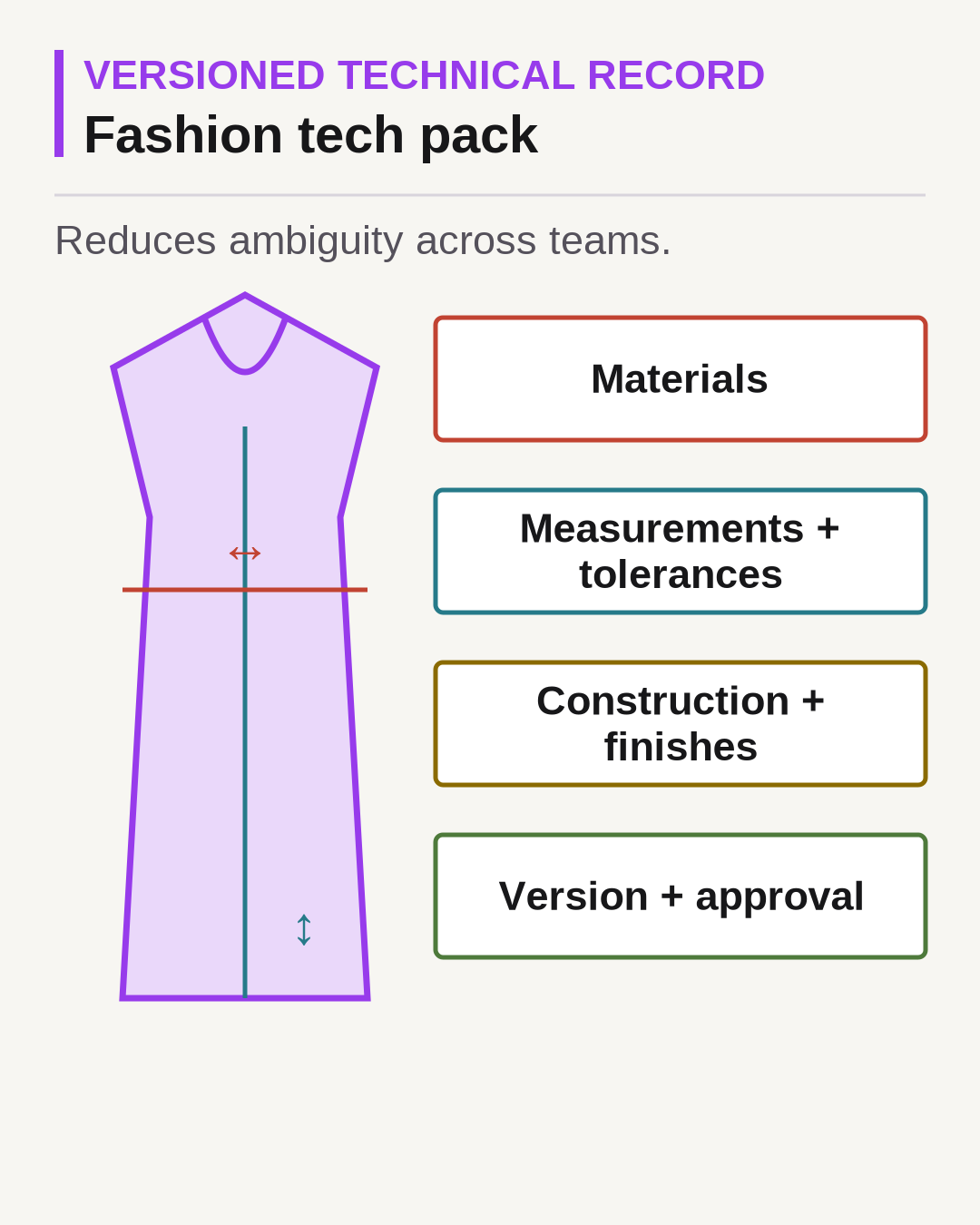
A technical specification is the controlled information set that translates an approved fashion product into verifiable sampling and manufacturing requirements. It brings together drawings, materials, measurements, construction, tolerances, identification, labelling, comments and revision history; its content varies by category, company, market and stage.
How to control tech pack versions
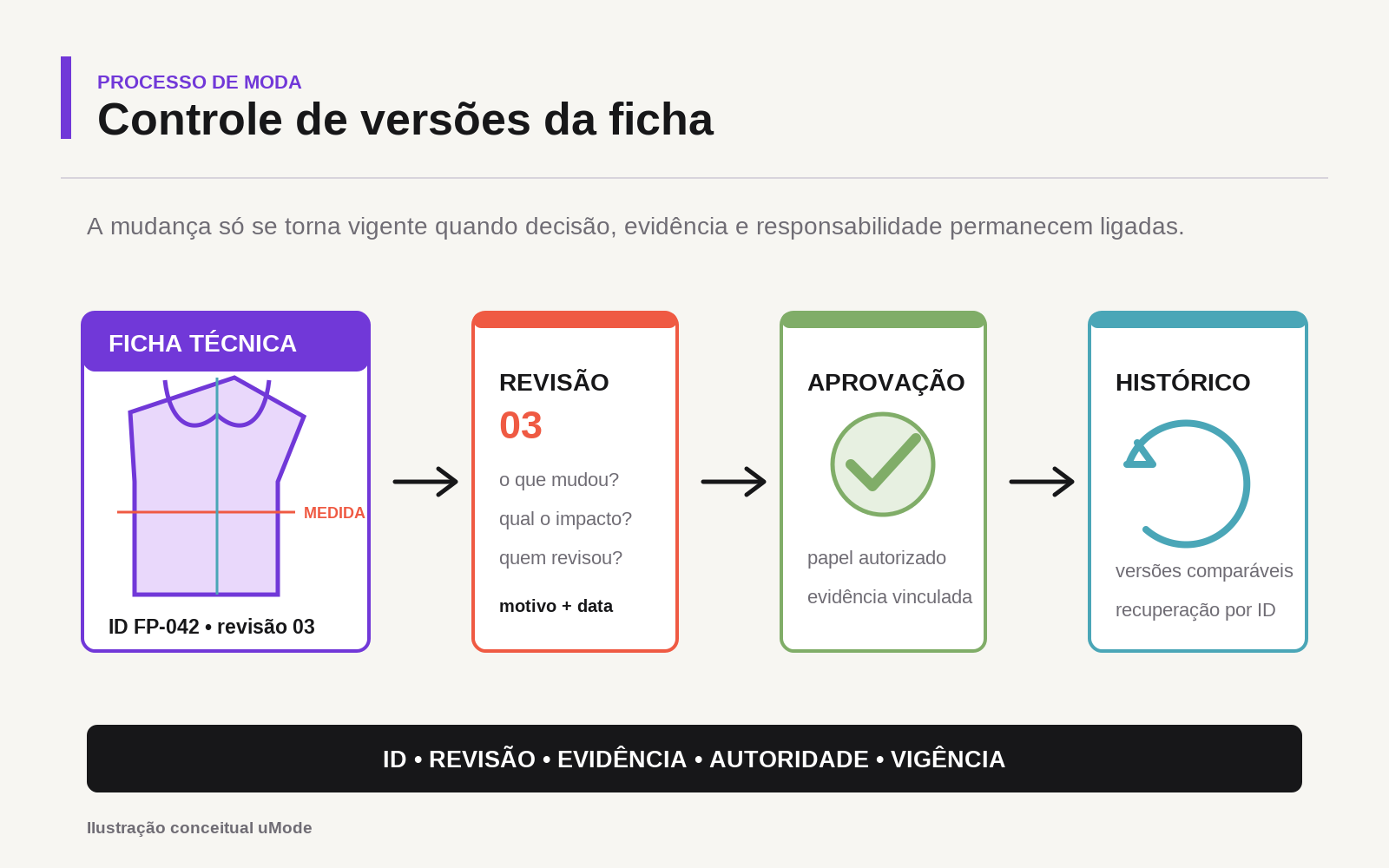
How to control tech pack versions. Controlling tech pack versions means recording every product change with an identifier, owner, reason, status, approval and effective date. The method applies configuration-control and product-lifecycle principles to the concrete decisions of an apparel supply chain.
Sources
Want to apply this to your operation?