Three brakes to put an agent live
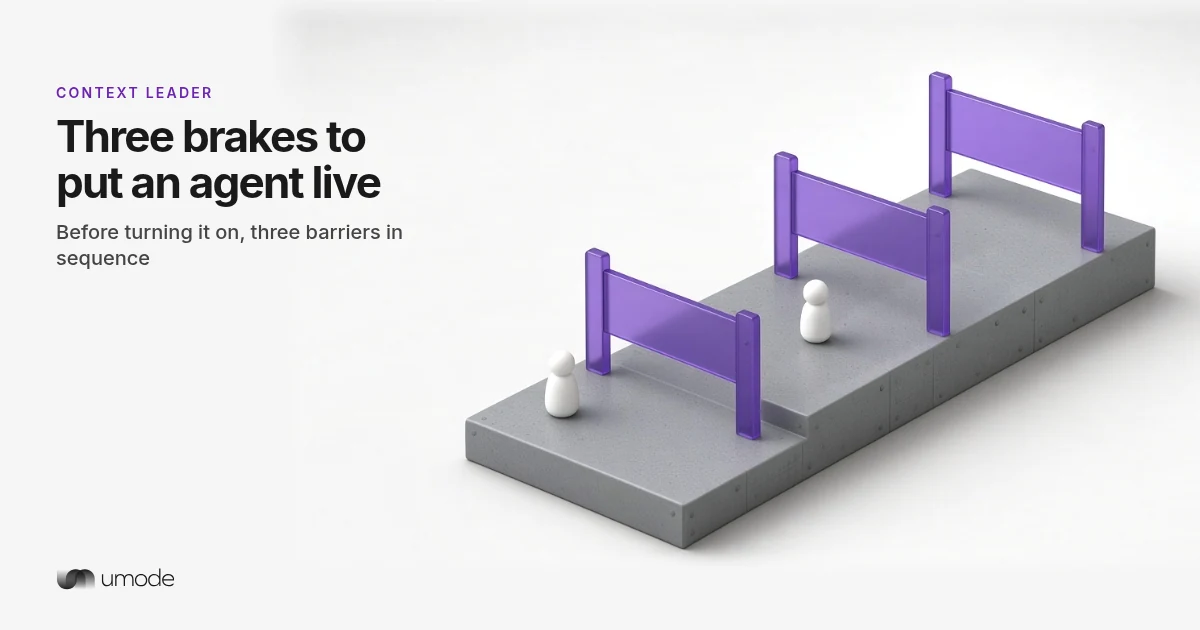
The three brakes of an AI agent are the stop limit, the clear trigger and the approval stop: what makes the agent stop, start and wait for a person.
In short:
- A chat answers, an automation repeats and an agent decides the path. The risk grows in that order.
- Reading, writing and sending are three different permissions. Start with the first.
- Everything that leaves the company, spends money or changes production data waits for a person.
- In the first weeks, you read the trace of each run, and each answer brings its source in plain view.
I see the same wrong order repeat: the person builds an agent capable of doing a lot and only then thinks about when it should stop. A good agent starts small and with a brake. Power comes later, at the request of whoever uses it.
This text is part of the guide Context Leader: what it is, the six steps of the track and how to develop one.
Putting a brake on the agent is part of the Context Leader (HIC), the method uMode created to develop what the world calls an HIC, adapted to develop superhuman professionals.
What is the difference between a chat, an automation and an agent?
The difference is in who decides the next step. In a chat, you ask and you decide. In an automation, the step is written down and repeats the same way. In an agent, the machine chooses the path within a goal.
| Type | What it does | Who decides the path | Example in fashion |
|---|---|---|---|
| Chat | Answers what you ask | You, at each question | Explaining a coverage reading |
| Automation | Repeats the same step on the same trigger | The written script | Generating the coverage reading every Monday |
| Agent | Plans, acts, looks at the result and corrects | The machine, within the goal | Opening the right files, cross-checking and proposing the replenishment |
The practical question comes first: does the path change every time or is it always the same? If it is always the same, an automation solves it with less risk.
Why are reading, writing and sending separate permissions?
Because each one carries a different size of damage. Reading a wrong file produces a wrong answer you can still refuse. Writing changes data other people use. Sending takes information out of the company, and there is no way back.
Start with reading only and connect only the sources the agent needs. The track gives a warning: what is not connected the machine does not see, and answers anyway. That is why the request needs to say what to do when the source is missing. In the connectors exercise, the sentence is: "If you cannot open one of the two, say which and stop. Do not swap it for a file with a similar name and do not search the web."
What are the three brakes?
The three brakes are the stop limit, the clear trigger and the approval stop.
| Brake | Question it answers | Examples |
|---|---|---|
| Stop limit | When does it give up? | Number of attempts, maximum time, spending cap |
| Clear trigger | When does it start? | Scheduled time, an email that arrives, stock below a number |
| Approval stop | When does it wait for a person? | Everything that leaves the company, spends money or changes production data |
The common mistake at this step, in the track's words, is giving power before giving a brake. An agent without a stop limit insists on something impossible for hours, and an agent without an approval stop sends the email.
The approval stop deserves careful design. In the flow exercise of the Microsoft track, the calculation is done by a fixed rule before the generative part writes the text, and the generative part never calculates. The output gets the status "Awaiting review," only the approved branch releases the send, and the history keeps input, output, approver and reason. The track itself sums it up: the point of the exercise is the stopping point, not the scheduler.
Want to practice now? The Context Leader Track lessons are free, and a free account saves your progress. The course is in Portuguese. Create your free account.
How does the agent decide what to do?
The agent works in a loop: plans, acts, looks at the result and corrects. That loop is what gives it autonomy and also what lets it get lost.
That is why the instruction says what it does and, with the same care, what it does not do. "Do not search the web," "do not swap files," "never send outside" are sentences that seem obvious to a person and that the machine only respects if they are written down. In the flow exercise of the Gemini track, web search is turned off on purpose, so the agent uses only the agreed source.
How do you read the agent's trace?
In the first weeks, you read each run in full: what it planned, what it opened, what it concluded. When volume grows, one agent produces and another checks, and you read by sample.
When the agent errs, look at the Brain first, where the rules it reads live. Most of the time, the failure is in an outdated or missing rule, and the fix is a note.
How do you know the answer has a basis?
You demand the source in plain view. Without the source of each claim, the answer is a guess with good formatting.
The cheapest thermometer is ten questions with a known answer. The agent gets worse without anyone touching it, because the model behind it changes at the vendor's end, and only those ten questions warn before whoever receives the answer. The decision architecture guide shows how that test set becomes a routine at the next step.
How do you start without risk?
Start with an agent that only reads and only warns. Vera and Roberto are fictional characters, created to portray real mentees of João Risoléo's Mentoring Session. The mentees' identities do not appear, to protect them.
Roberto's first agent reads the emails from the boards he sits on and warns when something changes without an announcement. That is how he noticed that the list of who received a report had changed. The agent answers no one and changes nothing; the decision to take the matter to the board stayed with him.
How the track trains this: the connectors exercise asks the machine to open two files by exact name and say which decisions from the planning meeting match the spreadsheet, with the file name next to each claim. There is a planted divergence between the two, and the exercise only closes when you find it. The lessons on the fixed agent and safety rules take the same reasoning to the agent that runs on its own, and the guide to first agents walks that path.
How do you know you have moved up a step?
You move up when you have an agent live with a trigger, an approval stop and a limit, connected to the Brain, running for two weeks with minimal supervision, and you can show the trace of a day when it decided on its own. It is the proof of step 4, the Amplified Operator, in the Context Leader track.
For the company side, with roles and responsibilities, the entry on how to govern AI agents in the company goes deeper, and the one on how to take an AI pilot into production covers the move from test to daily use.
Frequently asked questions
What is a safe AI agent?
It is an agent with permission only for what it uses, a clear trigger, a stop limit and an approval stop before everything that leaves the company, spends money or changes production data. Each answer brings its source.
What is the difference between an agent and an automation?
An automation repeats the same step on the same trigger. An agent chooses the path within a goal. If the path is always the same, an automation solves it with less risk.
What needs human approval?
Everything that goes outside the company, spends money or changes production data. The agent prepares, shows what it will do and waits for a person to approve before going on.
How do you test an agent before putting it live?
Keep ten questions with a known answer and run the agent on them before releasing it. Repeat at every change. If one of the ten fails, the agent goes back to the bench before sending its first email.
How do you start with the track?
Start with the free account on the Context Leader Track. It brings together free lessons and step-by-step exercises in Claude, and the account saves your progress. At the end of the track, you take your own diagnosis on the TLC yardstick. The course is in Portuguese. Create your free account at tlc.umode.tech.
Want to apply this to your operation?