What is PLM and why fashion is talking about it
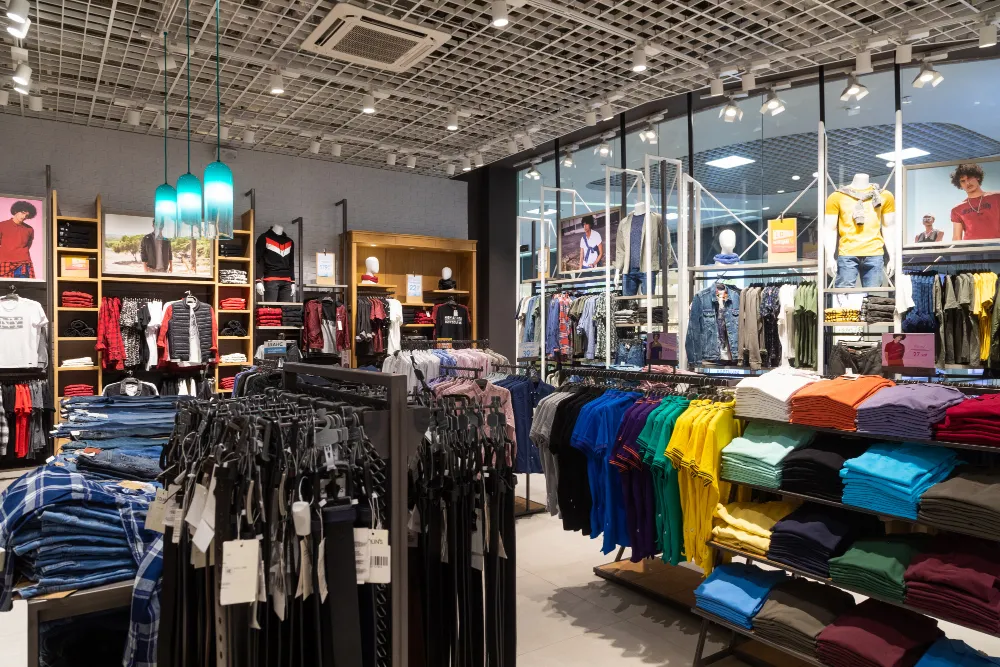
PLM (Product Lifecycle Management) is the system that gathers everything that defines a fashion piece, from the idea to the store. In practice, it is the place where the tech pack, measurements, materials, estimated cost, approvals and history of each product in the collection sit together, with an author and a date.
Apparel, footwear and accessories brands came to PLM because of a familiar problem: many people touching the same product, at different stages, in a hurry. When each area keeps its own version, the collection ends up with several truths at once, and the mistake only shows up when the piece is already made.
This text is part of the guide Fashion PLM: the complete guide, from tech pack to collection launch.
What is PLM, in simple terms?
PLM is the product's organized memory: it records what the piece is, who decided each detail and when. The tech pack sits at the center, and PLM is the structure that keeps that tech pack alive while the collection moves.
The tech pack tells the factory how to sew the piece; PLM tells the whole brand how the piece got there. If design swaps the button, development sees the swap, sourcing knows the trim changed and the supplier finds the new tech pack, without depending on someone remembering to tell each person.
The name sounds scarier than it is. Many brands already do product lifecycle management, only scattered across spreadsheets, email, messages and shared folders. The entry on fashion PLM has the short definition, for quick reference.
What does PLM store?
Every collection meeting has that minute of hunting for the right file, and PLM exists so that it never happens: it stores the data that defines the product and the decisions made about it. The list changes from brand to brand, but the core is usually this:
- Product identity: style number, name, collection, category, colors and variants.
- Tech pack: sketch, construction notes, materials, trims and composition.
- Measurements and size run: the size chart and the size run of each style.
- Estimated cost: the pre-cost built from materials and labor.
- Approvals: who approved the pilot sample, with what remarks and what changed afterward.
- History: every change with author and date, the basis of tech pack version control.
- Supplier: what each partner received, asked for and sent back.
The fields depend on the setup, and two systems with the same label can store very different things. When evaluating one, ask to see the tech pack of a product similar to yours, filled in from end to end.
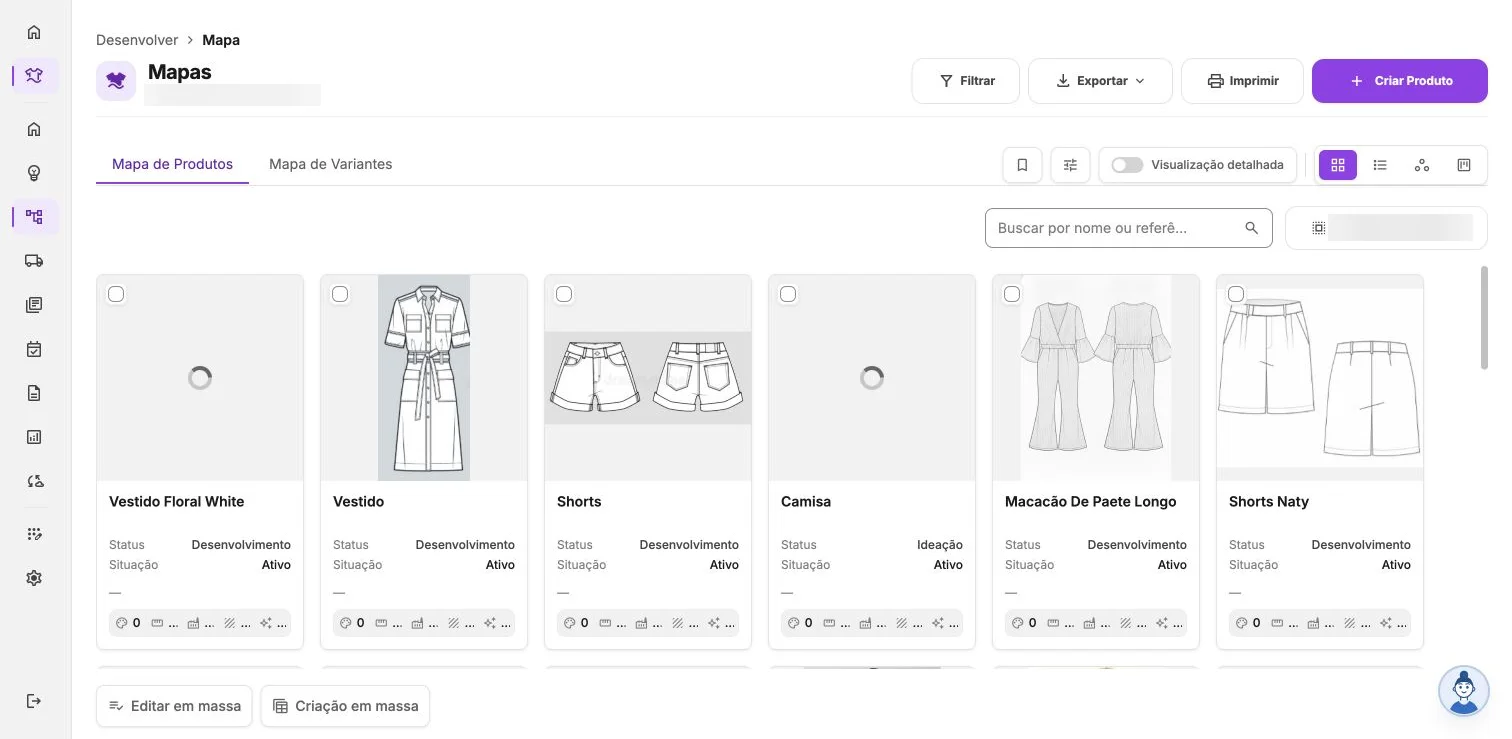
The Product Map brings the collection portfolio onto one screen, with a single search across products and variants and saved filters. Screenshot of uMode's PLM, demo account, 11/12/2026.
Having the portfolio on one screen changes the collection meeting. Instead of opening file after file, the team filters by category, color or stage and sees where the collection map is full and where it is empty.
What does PLM not do?
Invoicing, physical inventory control and tax work stay with the ERP; PLM organizes the decision about the product before the order exists. When the two talk to each other, the ERP receives the product already decided and nobody has to retype the tech pack.
Each neighboring tool covers a different piece:
- Spreadsheet: it is flexible and everyone knows how to use it, but it keeps no history and does not lock what has been approved. The full comparison is in PLM or spreadsheet.
- Design tool: it produces the image of the piece, without the data the factory needs to make it.
- ERP: it records purchasing, production, inventory and sales; the entry on ERP, PLM and PIM separates the role of each one.
- Generic AI: it writes and summarizes well, but it does not know your tech pack, your size run or your rules.
PLM also does not choose the collection for you. It prepares the information so that the choice is made with the whole picture on the table, and the decision stays with whoever answers for the brand.
How does PLM follow the cycle of a collection?
PLM follows the collection from planning to the store, and each stage hands the next one data that has already been checked. The stages below are generic and apply to any brand, with or without a system:
- plan the assortment, with targets by category and the purchase budget in view;
- create and select, gathering references, a mood board and sketches until you choose what moves on;
- develop the tech pack, with measurements, materials and estimated cost;
- work with the supplier, answering questions and following the pilot sample;
- approve the pilot, checking the physical piece and recording adjustments;
- decide the buy, with size run, colors and quantities inside the open to buy;
- take the approved product to the ERP, without retyping;
- prepare the sale, with the description and attributes for the catalog and the online store.
The order varies. Some brands decide the buy before approving the pilot, and some take everything to the ERP only at the end, and the collection calendar usually dictates that sequence more than any system does.
Why is PLM in fashion's conversation now?
The collection now has more people, more channels and more hurry than a shared spreadsheet can organize. The more people touch the same product, the more expensive it gets to find out late that someone worked on the wrong version. Three movements come up often in conversations with brands:
- Online store: the online catalog needs descriptions, attributes and photos consistent with the tech pack, and that data has to come from a reliable place.
- Supplier closer: the brand and the partner exchange tech packs and comments more often, and each exchange has to reach the right version.
- AI: it only really helps when it finds organized data; without that, the answer comes out generic, like a piece sewn without measurements.
Context is AI's tech pack.
Illustrative scene: you approve the collar change in Thursday's meeting, the correction goes into the wrong tab of the spreadsheet and the pilot arrives with the old collar. The next meeting starts with the usual question: who touched the spreadsheet? Nobody got it wrong on purpose; the information simply lived in too many places.
Who is PLM for?
Brands that launch collections on a recurring basis and have several areas touching the same product get the most out of a PLM. Design, development, pattern making, sourcing, planning, supplier, catalog and leadership use the system, each looking at the part that is theirs.
For design, the gain is seeing the idea become a tech pack without losing detail along the way. Development gets history and a lock on what has been approved. Sourcing and planning see the estimated cost and the size run before the order. Leadership follows progress without asking each area for a report.
Brands that launch few pieces, without a fixed calendar, usually do well with an organized tech pack and version control.
What signs show that your brand needs a PLM?
The clearest sign is the same information being typed more than once in different places. The others usually come along with it:
- The tech pack lives in several versions and nobody is sure which one is valid.
- An approved change reaches the supplier late or never.
- The ERP record and the online store copy are retyped from the tech pack.
- The collection meeting starts with the hunt for the right file.
- The estimated cost only appears after the piece has already been approved.
- The spreadsheets and messages of the collection became the official system without anyone deciding that.
A single sign can be solved with process. When several show up together, the brand is already paying the cost of a PLM, only in rework, and the roadmap on how to implement PLM in fashion helps decide where to start.
How uMode's PLM handles it. In uMode's PLM, the base tech pack is the center: Bibliotecas (Libraries) and Cadastro de Apoio (Support Records) feed the fields, Desenvolver (Develop) keeps the history of every change and, in Fornecedor (Supplier), the partner sees and fills in only the fields the brand opens, with every change signed in the history. Integração (Integration) delivers the finished product to the ERP, and Minha Mesa (My Desk) opens the day showing what each person needs to do now. See how it works on the uMode PLM page (in Portuguese).
Frequently asked questions
Do I need to have the ERP defined before implementing a PLM?
No. PLM organizes the product before the order, and the ERP integration comes in once the ERP is defined. Having the ERP chosen helps design the fields that travel from one system to the other.
Does PLM cover the industrial side, such as production scheduling, bill of materials and costing?
PLM builds the bill of materials and the estimated cost in the tech pack. Production scheduling and actual cost usually stay with the ERP or with the factory's systems, fed by the approved product.
How long does it take until PLM works consistently in the team's routine?
It depends on the starting point and on the team's discipline. The safest path is to enter through the most urgent pain, delivering in stages, and expand when that stage is running without a parallel spreadsheet.
My planning and reconciliation process is still manual. Where do I start?
Start with the tech pack and the version history, because everything after that depends on them. With the product organized, planning can reconcile numbers against a reliable base.
The right collar has to be written in one place only, and PLM is that place.
Want to apply this to your operation?