Size run bet by color and channel: decide the quantity before the lot
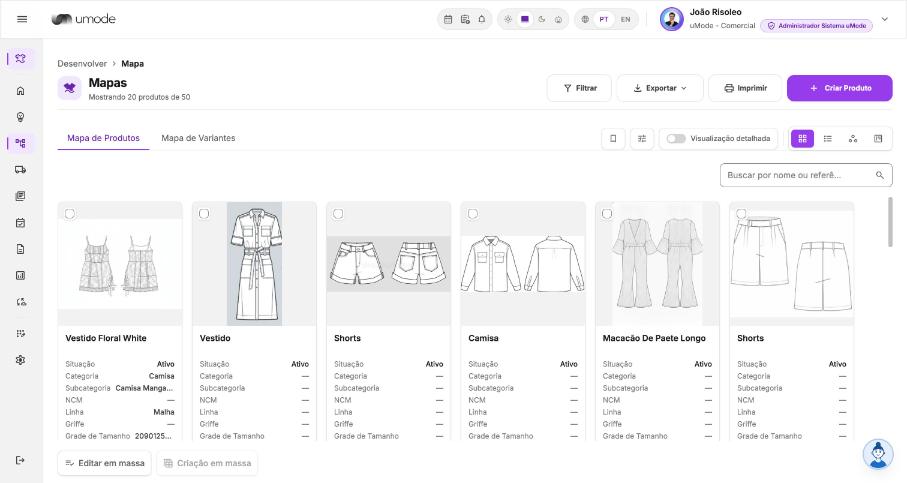
A size run bet is the decision of how many pieces each color gets in each size, before the lot goes to production. In most brands it happens in a spreadsheet nobody owns as official: sales sends Monday's version, planning corrects it on Wednesday and the lot goes out with the number someone remembered to copy.
The cost of this improvisation shows up later. The color that sells less gets the same quantity as the one that sells out in two weeks, and the XS to XL size run goes out the same for every channel, as if the physical store and e-commerce bought the same way.
On the uMode platform, the bet is a step in the flow, with a status and a closing.
How is the bet recorded?
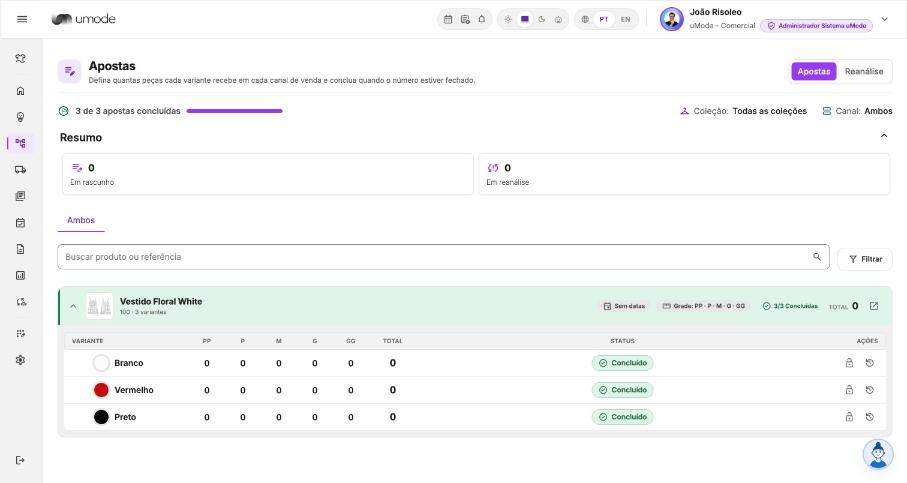
In the Aposta e Lote (Bet and Lot) module, the Apostas (Bets) screen has a direct explanation at the top: define how many pieces each variant gets in each sales channel and complete when the number is closed.
Each product appears on a row that opens into a grid. Variants sit in the rows, such as White, Red and Black, and sizes in the columns, from XS to XL, with the total added up beside them. The size run used by the product appears in the row header, so the team does not redraw the columns for every bet.
| Dimension | How it appears on screen |
|---|---|
| Variant | One row per product color |
| Size | One column per size in the size run, with a total |
| Channel | Channel filter at the top of the page |
| Collection | Collection filter, with the option to see all |
| Status | Draft, completed or under reanalysis |
How do you know what is closed?
The top of the screen carries a summary with the count of completed bets, draft bets and bets under reanalysis, plus a progress bar. Each variant gets a status badge, and the product shows how many variants are already completed, for example 3 of 3.
The screen also has a Reanálise (Reanalysis) tab, the place for bets that come back for discussion after being closed.
In practice, the routine follows a simple order. You choose the collection and the channel in the filters at the top, find the product by searching its name or reference, fill in the grid for each variant and complete. The product row shows the reference and the number of variants, which helps when the collection has many pieces and the team needs to find one without scrolling the whole page.
What changes for planning?
Planning gets a single point of truth. The question "what is the approved quantity?" now has a screen as its answer, and the lot comes after it, in the next item of the same module.
Sales gets a per-channel criterion, because the bet is defined by sales channel instead of inheriting the average. Management follows the closing through the progress bar, without asking for an update by message.
Anyone who wants to understand the logic of the columns will find, in the Fashionpedia entry on the size run, how the size run is formed and why it changes the production math.
A number closed before the lot costs a conversation. A number discovered afterward costs inventory.
Want to apply this to your operation?