Fashion research with AI: how 72 references become trends and a moodboard
Fashion research is the work of gathering product, image and market references to decide what the next collection will propose. The hard part starts after collecting: seventy screenshots in a folder, nobody remembers where each came from, and the style meeting turns into a conversation about impressions.
The designer comes back from a round of stores with a phone full of photos. On Monday she opens the folder, scrolls, scrolls again and tries to remember why she saved that ribbed-knit tank top. The moodboard comes out on Thursday, put together by hand, and the board's question is always the same: where does this come from?
In uMode, research happens in one place, and the reading of the images starts the moment they come in.
Where is the research kept?
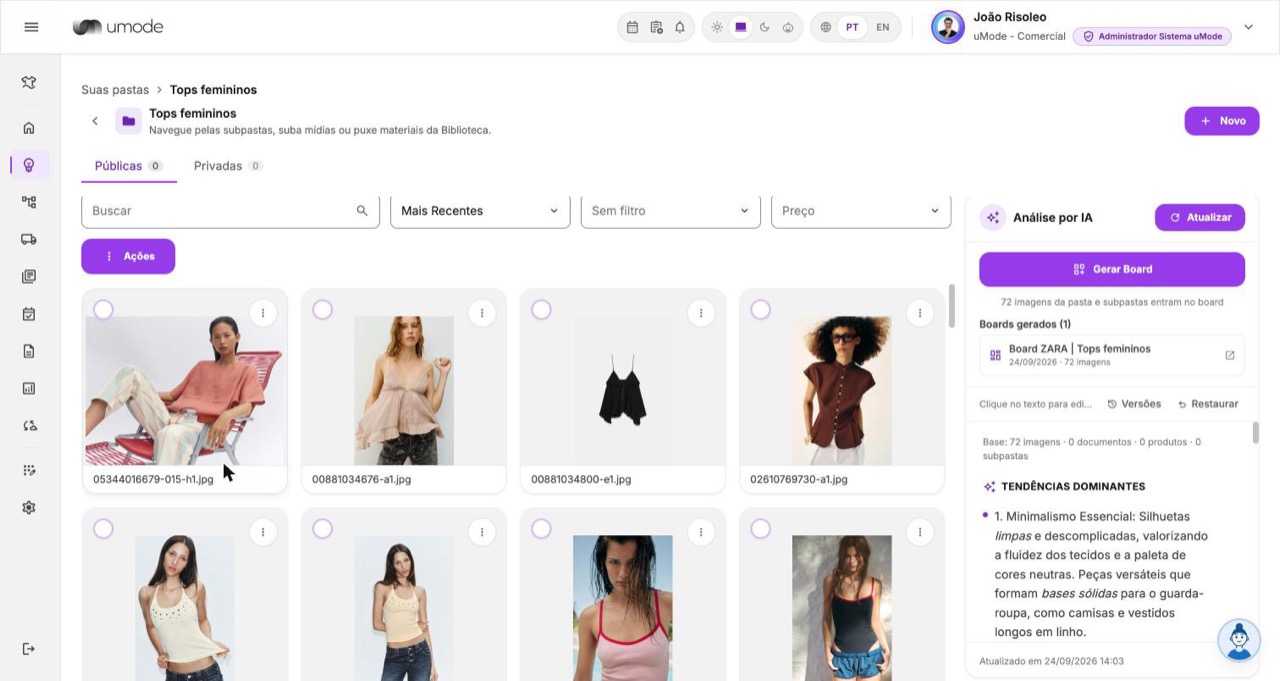
In the Área de Pesquisa (Research Area), each theme becomes a curated folder, public to the team or private. You can upload media, create subfolders or pull material from the brand library. When the reference comes from an online store, the platform's collector brings the product with image and price, with no loose screenshots and no parallel spreadsheet.
In the example folder below, a research on women's tops gathered 72 images from public storefronts, with prices from R$119 to R$359 captured along with each piece.
What does the AI read in the images?
Next to the images is the Análise por IA (AI Analysis). It states the base it read (here, 72 images) and returns three layers:
| Layer | What it delivers | Example from this folder |
|---|---|---|
| Dominant trends | Five named and described movements | Essential minimalism, artisanal chic, controlled volume with peplum |
| Category analysis | Colors, prints, trims and raw materials | Linen as the protagonist, ribbed cotton knit, mother-of-pearl buttons |
| Cross-pollination | References from outside fashion | Mediterranean architecture, mid-century furniture, indie film aesthetics |
The analysis also cross-references the brands that appear in the folder with the captured prices and calculates the median per brand. This takes the positioning conversation out of guesswork: you see how much the market charges for the trend the team wants to follow.
The text is editable. Each tag and each topic can be removed with one click, and the version history keeps what the AI proposed and what the team adjusted. The analysis becomes the first draft of the brief, and the designer signs the final version.
How does the folder become a moodboard?
One button, Gerar Board (Generate Board), takes the images from the folder and subfolders to a working board. In the example folder, the 72 images went into the board at once.
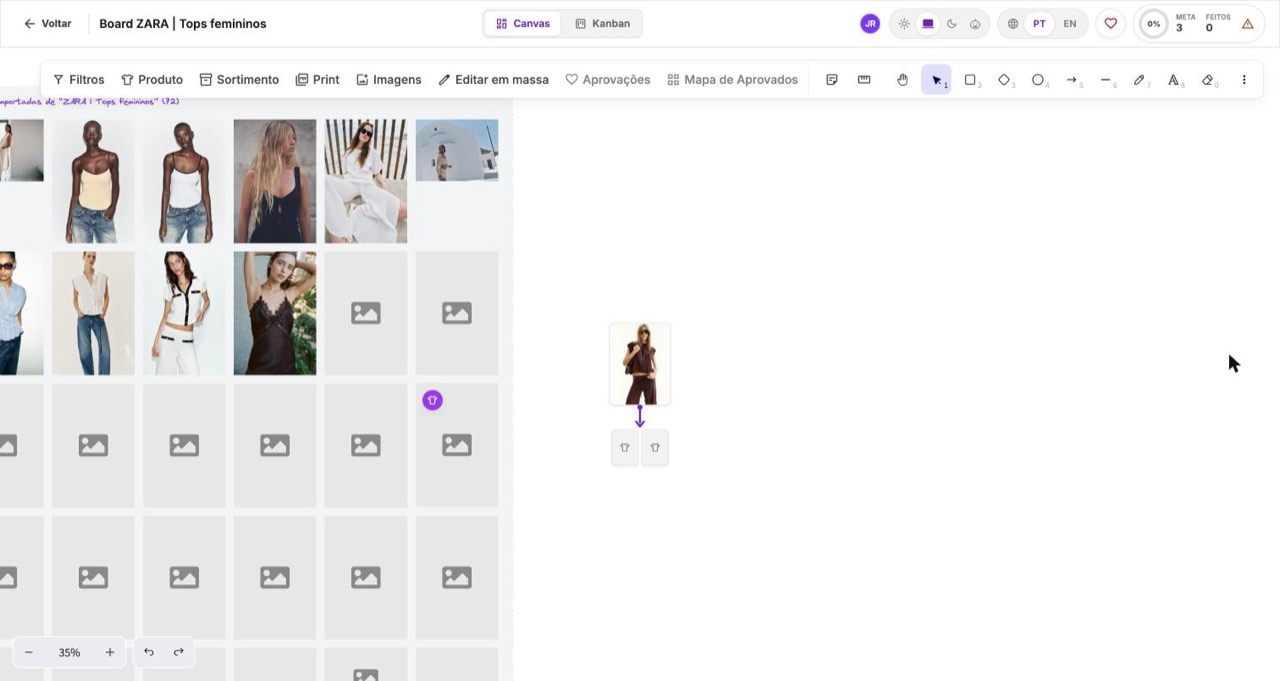
The board works as a digital style table. You drag, group, write over it and switch between the free canvas and the column view. The top bar shows where it leads: turn an image into a product, build the assortment, record approvals and see the map of what has already been approved. The moodboard stops being a file someone exports as a PDF and becomes the start of development.
What changes for the style team?
The first change is origin. Each reference carries where it came from and how much it costs, and the board's question gets an answer on the screen itself.
The second is time. The reading that used to take an afternoon of sticky notes starts ready, and the team spends energy disagreeing with the AI, which is the good part of the conversation.
The third is continuity. Folder, analysis, board and product stay linked. When the piece reaches the tech pack, the inspiration is one click away.
In practice, context is the AI's tech pack: the more organized the research, the better the reading that comes back. If you want to understand the board itself, the Fashionpedia entry on the fashion moodboard explains the concept and the pitfalls on the way to development.
The collection starts in research. In uMode, it already starts organized.
Want to apply this to your operation?